
Home
GOTO:
Back to Features

Plotting and Graphics Included

Available on: Windows Windows Linux GNU/Linux

Simply Fortran includes a flexible, two-dimensional plotting library on all platforms for quickly generating plots directly from Fortran source code. When a simple plot of data is needed, Simply Fortran has users covered, eliminating the need for installing, compiling, or configuring complicated plotting packages. On Windows, users can extend their code with graphics and user interface components directly from Fortran.

Easily Visualize Data with Aplot

Easily Visualize Data with Aplot

Simply Fortran includes the Aplot library for creating two-dimensional graphs and plots quickly from Fortran routines. The easy-to-use programming interface makes visualizing data painless. Plots can be saved quickly to standard image formats on Windows, macOS, or GNU/Linux. The library auto-configures and links into your executable, meaning there's no external programs or shared libraries needed with your executable should you choose to distribute it.

Windows Graphics with AppGraphics

Windows Graphics with AppGraphics

AppGraphics is a simple and powerful library for creating graphics and graphical user interfaces from either Fortran or C & on Windows. Based on user needs, windows displaying anything from static graphics to complex, dynamic displays can be & created. The library supports most graphics primitives, text output, menus, and window elements. All current versions of & Simply Fortran include AppGraphics and an included manual to assist users in creating modern graphical applications with & ease. All functionality is available in Fortran, and our Fortran interface is designed specifically to be Fortran-friendly, & accepting Fortran strings and arrays without any modifications.
Drawing Primitives

Drawing Primitives

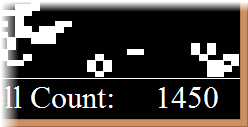
AppGraphics supports a variety of drawing primitives for creating custom graphics. Arcs, arbitrary polygons, ellipses, relative drawing procedures, and a wide variety of fill patterns are supported. Drawing is fast and efficient too; Simply Fortran includes a version of Conway's Game of Life demonstrating the speed of AppGraphics with dynamically updated graphics.

Menus and Controls

Menus and Controls

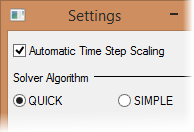
Adding menus, buttons, text boxes, and selectable lists is easy with AppGraphics. Complex and professional-quality menus can be configured easily with a series of function calls. Menu items and buttons can be added with callbacks, or subroutines that are to be executed whenever they are clicked. Adding textboxes and lists is straightforward, as is interacting with both.

Common Dialogs

Whether or not you're creating AppGraphics windows, you can always open a common Windows dialog with AppGraphics. Provided in the package are file selection dialogs, popup message boxes, and simple selection and input boxes. The list selection and inquiry boxes can be used to quickly ask a user a Yes/No question, input text, or make a selection from a list.

Unrestricted

The AppGraphics and Aplot license allows our users to distribute any programs they create with AppGraphics or Aplot without any additional licensing fees or royalties. If you're creating a program that you wish to sell, distribute, or use in a commercial environment, we encourage you to do so without any additional payments or restrictions.

Because every copy of Simply Fortran comes with Aplot and, on Windows, AppGraphics, all our users are free to develop graphical programs and graphical user interfaces without any additional fees or registrations!
